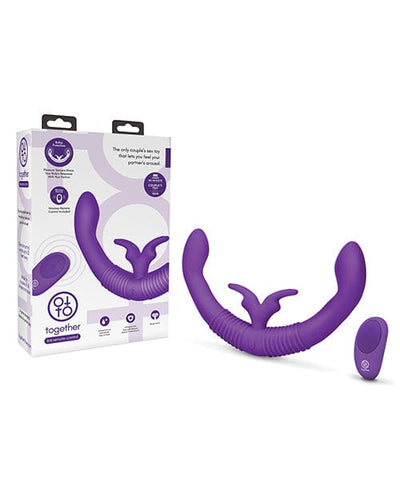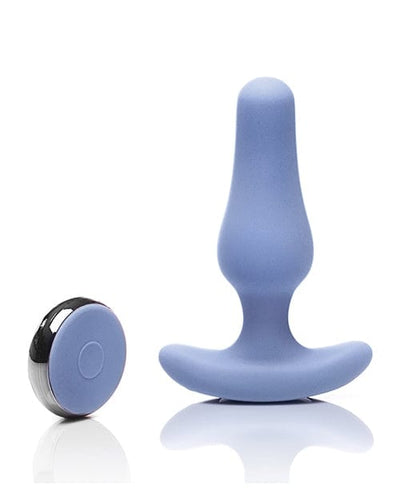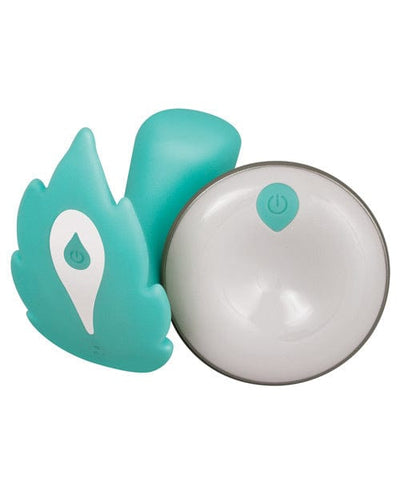
Shopping cart
You have no items in your shopping cart.
Remote and app-controlled butterfly vibrators are often grouped together, but the control systems can work very differently. A physical remote may communicate directly with the toy at short range. A phone app may connect over Bluetooth while both devices are nearby. Some apps can also pass control over the internet, allowing a partner in another location to interact through the manufacturer's service.
Those are three different technical experiences. If remote control is a major reason you are considering a butterfly vibrator, the most important questions are not “Does it have an app?” or “How many patterns are there?” They are: how does control connect, what happens when the connection fails, who can control the device, what information the app requests, and whether the toy remains usable without the software.
A dedicated physical remote is usually the simplest system. It connects directly to the toy and typically does not require a phone, login or software update. The tradeoff is that range is limited and replacement remotes may be model-specific.
A Bluetooth app uses the phone as the controller while the phone remains within Bluetooth range of the product. This can add custom patterns or more precise controls, but it introduces pairing, phone permissions and app compatibility.
Internet-based partner control is different again. In that setup, the toy may connect to a nearby phone through Bluetooth, while the app uses the internet to send commands from another user. That means the remote partner's practical range is no longer limited by Bluetooth distance, but the system now depends on the app service, account access and network connectivity.
Retail descriptions sometimes use “long-distance,” “remote,” and “app control” interchangeably. They should not be.
A physical remote might work across a room. A Bluetooth app may work while the phone remains nearby. An internet-connected app can potentially work from another city or country—but only if the specific manufacturer supports remote partner access through its service.
Before buying, find the exact control path. If the product listing does not explain whether long-distance control is Bluetooth-only or internet-assisted, check the current manufacturer documentation.
Connected products are much less frustrating when the pairing process is simple. Look for clear instructions explaining how the vibrator enters pairing mode, how the remote or app recognizes it, and what to do if the connection fails.
Useful documentation should also explain how to:
If those steps are difficult to find before purchase, future troubleshooting may be equally difficult.
This is one of the most important questions for any connected vibrator and one that product pages often skip.
Different devices may stop, continue the last setting, return to onboard control or require reconnection. The behavior matters because it determines whether losing Bluetooth or internet access simply interrupts a feature or makes the product difficult to control.
A well-designed connected toy should have a clear way to stop or change settings locally even if the remote system is unavailable. Look for physical controls or another documented fallback method.
App control can be convenient, but a product that remains usable without the app is usually easier to own over time. Phones change. Operating systems update. Apps can be redesigned, removed or lose compatibility with older devices.
If the vibrator has functional onboard controls, the core product can remain useful even if connected features become unavailable later.
That does not make app control a bad feature. It simply means local controls reduce dependence on software.
Before installing a companion app, review what permissions it requests. Bluetooth access is expected for nearby connected devices. Other permissions may be used for features such as notifications, media, location-related Bluetooth discovery on some phone platforms, or account services.
Permissions do not automatically mean an app is unsafe, but they should make sense for the features you intend to use. If an app requests access that appears unrelated to the product, review the manufacturer's explanation and the current app-store privacy information.
Also check whether the app requires an account or whether nearby control can be used without one. Internet-based partner control usually requires more account infrastructure than simple local Bluetooth control.
Privacy is not limited to data collection. A connected toy can become visible through ordinary phone behavior: lock-screen notifications, Bluetooth device names, recent-app screens, account emails or saved login information.
If discretion matters, review:
These practical details are often more relevant to everyday privacy than abstract statements about “secure technology.”
When another person can control a wearable device, both people should know how control can be paused or ended immediately. That can be a physical button, an app control, disconnecting the session or another manufacturer-supported method.
This is both a usability and consent issue. Remote access should never make the wearer dependent on another person to stop the product.
A physical remote avoids many app-related issues, but there are still details worth comparing. Check whether it is rechargeable or uses replaceable batteries, whether it pairs automatically, how many buttons it has, whether it controls intensity and patterns separately, and whether replacement remotes are available.
Some remotes are tiny enough to misplace easily. Others use proprietary pairing and cannot simply be replaced with a generic controller.
Wireless range varies with the technology, environment and obstacles between devices. A manufacturer may publish a distance for a physical remote or Bluetooth connection, but real-world performance can differ through walls, around furniture or when the phone is carried in a pocket or bag.
For internet-based control, “range” becomes a different concept: the local Bluetooth link still needs to function between the toy and nearby phone, while the remote partner communicates through the internet.
That is why “unlimited range” marketing should be interpreted as “not limited by the partner's physical distance,” not as proof that every part of the connection is unlimited.
With a remote-controlled model, check both the vibrator and the controller. One may recharge while the other uses coin cells or AAA batteries. App-based systems remove the physical remote but add dependence on the phone's battery.
If the vibrator uses a proprietary magnetic cable, losing it can be more inconvenient than losing a common USB cable. Check whether replacements are available for the exact model.
A connected vibrator can remain physically functional for years while its app ecosystem changes much faster. Mobile operating systems are updated frequently, phone hardware changes and manufacturers may discontinue older software.
Before buying primarily for app features, check when the companion app was last updated, whether the current version supports your phone and whether basic toy functions still work without the app.
You do not need to perform a technical audit to make a better buying decision. A practical privacy check can focus on a few questions:
Those questions reveal much more about practical ownership than a generic “secure app” label.
Bluetooth products should be paired according to the manufacturer's instructions, and unknown pairing requests should not be accepted casually. If the app or toy provides a way to remove old pairings, use it when changing phones or transferring the product.
Phone operating systems also provide tools for reviewing Bluetooth access and app permissions. Because menus change over time, use the current instructions for your phone rather than relying on an old screenshot-based guide.
If the app allows remote partner access over the internet, account security becomes part of product security. Use a unique password where accounts are required and enable additional account protections if the manufacturer offers them.
Do not share permanent credentials simply to give another person temporary control. A better system is one where the app provides an invitation or session-based sharing mechanism that can later be revoked.
A dedicated remote can be a better fit if you do not want an app account, do not need internet-based control and prefer a system that works without phone updates. It can also be easier for users who find small app interfaces inconvenient.
The tradeoff is fewer software features and generally shorter range. For many shoppers, however, simplicity is a feature rather than a limitation.
App control is more compelling when you want custom patterns, easier visual control, accessibility through a larger phone interface, or internet-based partner control that the manufacturer specifically supports.
It is less useful if you dislike account setup, rarely carry your phone nearby, or simply prefer physical buttons.
We reviewed current search results and consumer questions around “remote control butterfly vibrator,” “app controlled vibrator,” “Bluetooth vibrator,” “long distance vibrator,” “wearable vibrator app privacy,” and related pairing and connectivity queries. We also reviewed current FTC consumer privacy guidance and Bluetooth security resources to identify practical connected-device questions that are often missing from retail product pages.
Because app behavior, operating-system requirements and manufacturer services can change, current documentation for the exact product and app should always override generalized advice.
Last reviewed: October 3, 2026.
Bluetooth control usually requires the controlling phone to remain nearby. Long-distance partner control typically uses the internet through the manufacturer's app while the toy remains connected to a nearby phone.
Nearby Bluetooth or onboard controls may still work depending on the model, but internet-based partner features may not. Check the exact manufacturer's behavior.
Some can and some cannot. Models with functional onboard controls are generally less dependent on software.
Review notification previews, Bluetooth names, app permissions, account security and whether the app remains logged in on shared devices.
It is usually simpler and exposes fewer phone-related privacy surfaces, but security and pairing behavior still depend on the specific design.
Make sure both people know how the session starts, how it ends and how the wearer can stop or disconnect control immediately.
The best remote system is not necessarily the one with the longest feature list. It is the one whose connection method you understand, whose controls remain easy to stop, whose app requirements fit your phone and privacy preferences, and whose core functions do not disappear when software or connectivity becomes inconvenient.
Browse connected options in our Remote Vibrators Collection.