Shopping cart
You have no items in your shopping cart.
Quick answer: A beginner remote-controlled vibrator is easiest to choose when you separate the toy itself from the control system. First check size, shape, material and water resistance. Then decide whether you want a physical remote, nearby phone control through Bluetooth, or an app that may also support partner control. For a first product, simple pairing, direct buttons on the toy, easy charging and a clear way to stop the device are usually more useful than a huge pattern library.
This guide is about first setup, controls, pairing and charging. It does not duplicate our long-distance remote-toy article, which goes deeper into internet control, privacy and partner access. Here, the goal is simpler: help a first-time buyer understand what “remote-controlled” actually means, what to check before buying, and what to do when pairing or charging does not work as expected.
Browse the Remote Vibrators Collection while using this guide as a setup checklist.
The word remote is used broadly in product listings, so the first job is to identify which control system the product actually uses. A dedicated handheld remote, a Bluetooth phone connection and an internet-enabled app can all be described as “remote control,” but they do not behave the same way.
A physical remote is usually the simplest system. It connects directly to the toy, requires no phone account, and is generally designed for nearby use. A Bluetooth app turns a nearby phone into the controller and may provide more patterns or custom controls. An internet-enabled app can sometimes add long-distance partner control, but that is a separate feature and should be explicitly confirmed in the manufacturer documentation.
For beginners, a useful product often has more than one control path. If the remote battery dies or the phone disconnects, direct buttons on the toy allow the product to remain usable without troubleshooting the wireless connection first.
It is easy to get distracted by app screenshots, pattern counts and remote features, but the product still has to fit your intended use. Compare the same basics you would check on any vibrator: overall and insertable dimensions, maximum width, material, flexibility, motor position and water rating.
If the vibrator is wearable, look at how it is supposed to stay in place. If it is insertable, check insertable length and maximum diameter rather than total length alone. If it is external, compare the size and shape of the contact area. A great remote cannot compensate for a product whose physical dimensions or geometry are wrong for you.
Material also matters for care and lubricant compatibility. Planned Parenthood lists 100% silicone among common non-porous toy materials and recommends following manufacturer instructions for cleaning and lubricant use. Water-based lubricant is the broadest default for most sex toys; silicone lubricant can damage some silicone products, so check compatibility first.
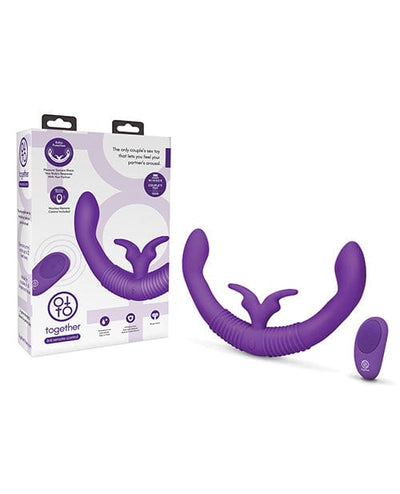
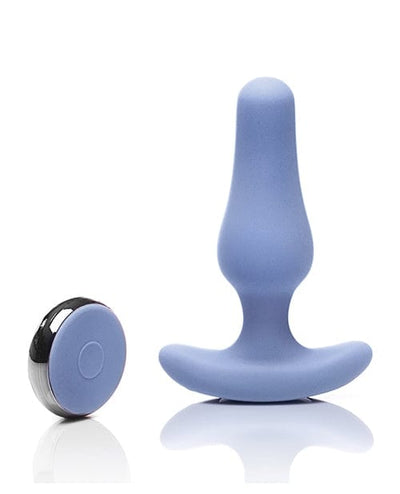
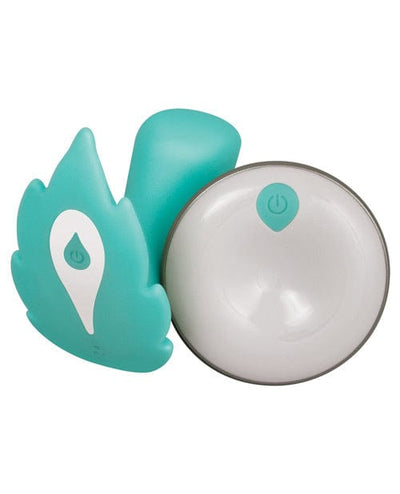
A dedicated remote keeps the setup straightforward. There is no app to install, no account to create and no phone permission to manage. The main things to compare are button layout, published range, battery type and whether the remote is already paired at the factory.
Look at the controls carefully. Some remotes use separate buttons for power, intensity and patterns. Others use one button that cycles through everything. Separate controls are often easier because you can move up or down without passing through every setting.
Published range should be treated as an ideal-condition figure rather than a guarantee. Walls, furniture, body position and radio interference can reduce effective range. If the manufacturer gives no range specification, do not assume the product will work across a large room simply because it includes a remote.
Also check whether the remote itself is waterproof. A waterproof toy does not mean the controller can be submerged or washed the same way.
Bluetooth-controlled vibrators connect directly to a nearby phone. Bluetooth SIG describes Bluetooth as a short-range wireless technology designed to connect nearby devices. In practical terms, the phone needs to remain close enough to maintain the connection, and walls, distance and interference can affect reliability.
The advantage is that a phone interface can offer more controls than a small remote: custom patterns, sliders, saved settings or partner modes. The tradeoff is dependence on the app, phone battery, operating-system compatibility and Bluetooth permissions.
Before buying, confirm that the app is currently available for your phone platform. Old reviews can be misleading if the app has changed or if the manufacturer no longer supports an older product generation. If the product depends heavily on the app, current software support matters almost as much as the hardware.
When setting up an app-controlled vibrator, keep the process simple. Charge the toy first, install the current manufacturer app, enable Bluetooth, place the toy into pairing mode if required, and connect to the device in the app. Then test basic local control before setting up any partner or internet features.
If pairing fails, troubleshoot one layer at a time. First confirm that the toy itself powers on. Then confirm Bluetooth is enabled on the phone. Make sure the toy is sufficiently charged and close to the phone. Close and reopen the app if needed, and follow the manufacturer’s reset or re-pairing instructions rather than repeatedly pressing random button combinations.
Do not assume every Bluetooth toy should be paired through the phone’s general Bluetooth settings. Some devices are designed to pair only inside the manufacturer’s app. Follow the product instructions for that exact model.
A remote vibrator is easier to live with when the toy itself still has basic physical controls. If a remote is lost, the app crashes or Bluetooth disconnects, direct buttons can keep the product usable.
At minimum, look for a clear power or stop control. Ideally, the user can also change intensity directly. If all meaningful control depends on a remote or phone, understand that a dead battery or lost connection can temporarily make the toy much less useful.
This matters especially with wearable or inserted products. The person using the toy should know how to stop it locally without depending on someone else’s phone or remote.
Remote-controlled vibrators may require charging more than one component. The toy may be rechargeable while the physical remote uses a coin cell or AAA battery. Some remotes are rechargeable too. Read the full power specification instead of assuming one cable powers everything.
Magnetic charging is common because it avoids an open charging port and can support better water sealing. The downside is that the cable is often proprietary. Magnetic connectors from different toys may look similar but use different spacing, polarity or voltage.
USB-C is convenient when genuinely supported because the cable is easier to replace, but confirm that the port is actually standard USB-C rather than a proprietary cable with a USB connector only on the charger end.
Published runtime is useful but approximate. Battery life changes with intensity, pattern, motor load and battery age. Charge time and low-battery indicators may be just as important as maximum runtime.
“Waterproof,” “water-resistant” and “splash-resistant” are not interchangeable. Check the exact manufacturer rating for the toy and the remote separately. A silicone exterior does not prove the electronics are sealed for immersion.
If a toy is waterproof, the manufacturer may allow full rinsing or submersion within stated limits. If it is only splash-resistant, cleaning should be more cautious. Battery compartments, charging contacts and remote controls may require completely different care from the toy body.
Planned Parenthood recommends washing sex toys with mild soap and water when appropriate and following the instructions supplied with the product. For powered devices, those manufacturer instructions are especially important because electronics, seals and charging systems vary.
For the full care process, see How to Clean and Store Sex Toys.
Not every app-controlled vibrator requires an account. If one does, treat it like any other connected device account. The FTC recommends using a unique password, enabling two-factor authentication when available, and keeping both device firmware and phone apps updated.
For a beginner, the important point is not to overcomplicate setup. If the app offers partner invitations, use those instead of sharing the primary account password. Review the permissions the app requests, and disable features you do not need.
If long-distance control, privacy policy, partner access or internet architecture is the main reason you are buying the product, use our deeper Remote-Control Sex Toys for Long-Distance Couples guide.
A travel lock prevents the toy from turning on inside luggage. This feature is more useful than it sounds because remote vibrators often have prominent power buttons or long-press controls that can be triggered accidentally.
If the product has a travel lock, learn how to enable and disable it before packing. If it does not, power the toy off completely and protect the controls from pressure. For rechargeable models containing lithium batteries, airline battery rules also apply just as they do to other portable electronics.
Do not confuse standby or sleep mode with a true off state when traveling. The manufacturer’s travel instructions should be followed if provided.
| Feature | What to check | Why it matters |
|---|---|---|
| Control type | Physical remote, Bluetooth, app, or hybrid | Setup complexity |
| Direct buttons | Power, stop, intensity | Backup if wireless control fails |
| Remote range | Manufacturer-published range | Nearby control reliability |
| App support | Current iOS/Android compatibility | Phone control availability |
| Charging | Magnetic, USB-C, replaceable battery | Cable and battery management |
| Water rating | Toy and remote separately | Cleaning limits |
| Material | Exact manufacturer specification | Care and lubricant compatibility |
| Travel lock | True lock or power-off method | Prevents accidental activation |
If the remote-controlled vibrator stops responding, start with the simplest possible test. Can the toy turn on using its own button? If yes, the motor and battery are probably working. Next test the physical remote or local phone connection. Only after local control works should you troubleshoot partner or internet features.
Low battery is one of the most common causes of unreliable pairing. Recharge the toy before assuming the wireless connection is defective. For physical remotes, replace or recharge the remote battery too. If the app cannot find the toy, check whether another phone is already connected, because some Bluetooth products allow only one active connection at a time.
For app-based models, confirm that Bluetooth permissions have not been disabled after a phone operating-system update. Also check whether the app itself needs updating. If none of these steps work, use the manufacturer’s reset procedure rather than deleting accounts or changing unrelated phone settings.
A common mistake is assuming every remote toy supports long-distance internet control. Another is choosing by remote range while ignoring the physical toy. Some shoppers also buy based on pattern count without checking whether intensity can be adjusted easily.
Charging is frequently overlooked. A product with a proprietary cable becomes inconvenient if the cable is lost, and a toy with no battery indicator may be harder to keep ready. Water rating is another source of confusion: the toy may be waterproof while the remote is not.
Finally, do not assume app control automatically makes a product better. If you want a simple first remote vibrator, a reliable physical remote and clear direct controls may be more practical than a feature-heavy app.
First choose the physical vibrator shape you want. Second, decide whether a handheld remote is enough or whether phone control is important. Third, make sure the toy has direct controls and a straightforward charging system. Fourth, check current app compatibility if an app is involved. Finally, compare water rating, material and cleaning requirements.
Only after those practical checks should you compare pattern count, custom modes or secondary app features. That sequence keeps the purchase focused on usability instead of marketing.
This page owns the search intent “remote-controlled vibrators for beginners: controls, pairing and charging.” It supports the Remote Vibrators Collection. The long-distance article owns internet partner control, privacy and account architecture; the general vibrator guide owns broad category selection. This article remains the first-setup and troubleshooting layer of the cluster.
No. Some use a dedicated handheld remote, some use Bluetooth phone control, and some support both. Check the exact control system before buying.
No. Bluetooth is a nearby wireless connection. True long-distance partner control generally requires an internet-enabled app or service.
Charge the toy, confirm Bluetooth is enabled, keep the phone close, follow the manufacturer’s pairing mode, and test local control before troubleshooting any partner features.
Yes. Direct controls give you a backup if the remote battery dies, Bluetooth disconnects or the app stops responding.
No. Similar-looking magnetic cables can use different connector spacing or electrical specifications. Use the charger supplied or approved by the manufacturer.
Only if the manufacturer specifically gives the remote a waterproof or washable rating. The toy and controller may have different water protection.
If the app requires an account, yes. The FTC recommends unique passwords and two-factor authentication where available for connected devices and services.
Use the Remote Vibrators Collection for handheld-remote, Bluetooth and app-controlled vibrator options.