Shopping cart
You have no items in your shopping cart.
Quick answer: Remote-control sex toys are easiest to compare when you separate the connection system from the toy itself. A handheld remote, Bluetooth phone control and internet-enabled app can all be sold as “remote,” but they have very different range limits, pairing steps, privacy considerations and failure points. For long-distance use, verify that the product supports internet-based partner control rather than only local Bluetooth, then compare app compatibility, account requirements, controls, charging, water resistance, cleaning and manufacturer support.
This guide is specifically about connected and long-distance control. It does not duplicate our general couples-toy buying guide or the separate beginner remote-vibrator article. Here, the important questions are: How does control actually travel from one person to the toy? What happens if Bluetooth drops? Does the app require an account? Can access be revoked? How long is the product supported? What should you check before trusting an internet-connected intimate device?
Browse the main Remote Vibrators Collection while using this guide as a technology checklist.
The word remote can describe at least three very different systems:
A product that works from across the room may not work from another city. A Bluetooth-only toy and an internet-enabled toy may look nearly identical in a product photo.
Some apps simply replace a physical remote while the phone stays within Bluetooth range. Look specifically for manufacturer language such as long-distance control, partner mode, internet control, invite link, partner pairing, or another documented remote-access feature.
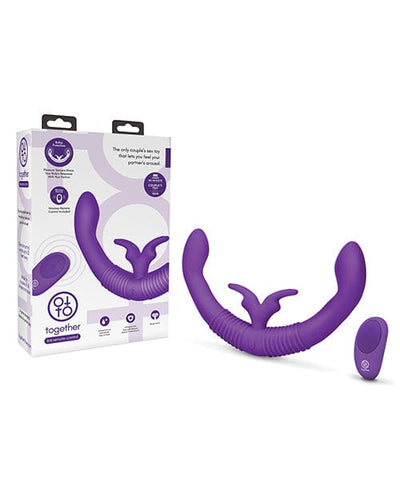
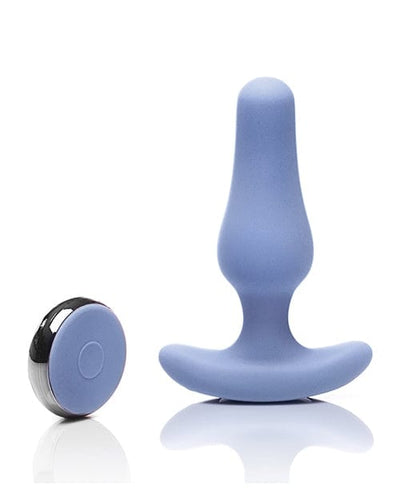
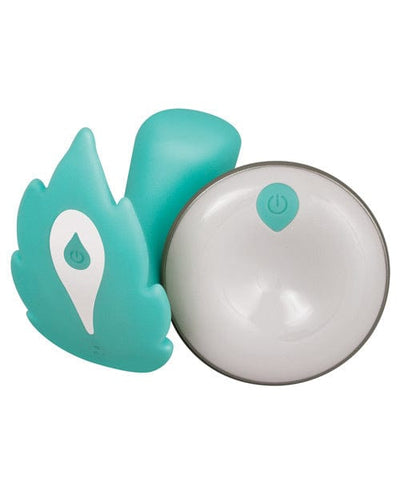
A dedicated remote sends commands directly to the toy using the manufacturer’s radio system.
Range is normally local. If the manufacturer publishes a range, treat that figure as a best-case specification rather than a guarantee through walls or around interference.
Look at remote size, battery type, pairing method, button layout, published range and whether the toy can still be controlled directly if the remote battery dies.
Bluetooth connects the toy directly to a nearby phone.
The phone becomes the controller, allowing more complex interfaces than a small physical remote.
Walls, body position, other wireless devices and phone placement can reduce reliability. Do not treat a Bluetooth range number as a guaranteed operating distance.
If Bluetooth disconnects, physical buttons on the product can be useful. Some products remain fully usable without the app; others depend heavily on the phone interface.
For true long-distance use, the control signal typically travels through an app and the manufacturer’s online service.
Partner phone → internet service → local phone → Bluetooth → toy.
If any link fails, remote control may stop even though the toy itself still works locally.
Do not rely on retailer shorthand. Check the manufacturer’s current product page or app documentation.
Some products support only a nearby remote or local Bluetooth.
It is useful if the person with the toy can pause, disconnect or change settings directly.
A good control system should make it clear how to end a session, revoke a partner connection or unlink an account.
Remote technology does not change the basic consent standard. Planned Parenthood and RAINN both emphasize that consent is specific, ongoing and reversible.
A partner who was invited once should not be assumed to have unlimited future control.
The person wearing or using the product should know how to stop the toy locally even if the remote partner or app is unavailable.
For the broader conversation side, see How to Talk to Your Partner About Trying New Things.
Internet-connected toys are part of the broader consumer IoT category: they may use accounts, cloud services, wireless connections and software updates.
The U.S. Federal Trade Commission recommends changing default credentials and using a password that is not reused on other accounts for internet-connected devices.
The FTC recommends enabling two-factor authentication on connected devices and services when available.
If the app supports partner invitations, temporary links or separate access, use those controls rather than sharing the owner’s login credentials.
Source: Federal Trade Commission: Securing Your Internet-Connected Devices.
Connected-toy apps may request Bluetooth, notifications, microphone, location or other permissions depending on their features.
A permission can be legitimate for a feature, but users should understand the reason before enabling it.
Phone settings usually allow permissions to be changed later. If a feature works without a sensitive permission you do not need, consider disabling it.
Before creating an account, check the manufacturer’s privacy documentation.
Encryption protects data in transit or storage, depending on implementation. It does not tell you whether the service collects the data in the first place.
Connected products can become less secure or less useful if the app is abandoned.
Look at whether the app is currently available for your phone platform and whether the manufacturer still documents support.
NIST’s current IoT cybersecurity guidance emphasizes not just initial product security, but also maintenance, updates, support and end-of-life planning for connected products.
Source: NIST IR 8259 Rev. 1: Foundational Cybersecurity Activities for IoT Product Manufacturers.
Pairing should be understandable and repeatable.
If local Bluetooth control is unstable, adding an internet partner layer will not fix the underlying connection.
Most connection failures are not mysterious; they usually happen somewhere in the control chain.
First test whether the toy responds to its own buttons, then local app control, then partner control. This tells you where the failure is occurring.
Internet control can introduce a small delay between the partner’s action and the toy’s response.
Phone performance, Wi-Fi or cellular quality, distance to cloud services and app design can all affect response time.
Unless the manufacturer publishes latency data, treat “instant” or “real-time” as general marketing language rather than a measured guarantee.
Connected toys often advertise many patterns, custom modes or gesture controls.
A product with 50 app patterns but no obvious local stop control may be less practical than a simpler design.
Before buying an app-dependent toy, verify compatibility with the current phone operating system.
Long-distance use may involve two different phone models and operating systems.
Operating-system updates can break unsupported apps. Current manufacturer documentation matters more than an old review.
| Control system | Typical use | Main checks |
|---|---|---|
| Handheld remote | Same room / nearby | Published range, battery, pairing |
| Bluetooth phone | Nearby phone control | OS support, Bluetooth stability, local buttons |
| Internet app | Long-distance partner control | Account, privacy, partner access, service support |
| Hybrid remote + app | Local and long-distance flexibility | Which features work in each mode |
Connectivity should not distract from ordinary product specifications.
Choose the shape and size first, then compare connected features.
Remote products may require charging both the toy and a physical remote.
Magnetic chargers often look similar but are not necessarily interchangeable.
A connected toy may be waterproof even though its remote is not.
Toy body, remote and charging hardware can have different water ratings.
A silicone exterior does not tell you how the internal electronics are sealed.
For full care guidance, see How to Clean and Store Sex Toys.
Connected toys add battery and app considerations when traveling.
A travel lock can prevent accidental activation inside luggage.
If the toy contains a lithium battery, airline battery rules apply just as they do to other portable electronics.
App stores, network restrictions and local laws can vary between countries. Check before travel rather than assuming the service will function everywhere.
Some products support only a nearby handheld remote or Bluetooth phone.
Connection stability, local stop controls and app support are usually more important.
Connected products deserve the same unique-password and update discipline as other internet-connected devices.
Use partner-access tools if the app provides them.
A connected product depends on software as well as hardware.
Size, shape and comfort remain the first product decision.
This article owns the search intent “remote-control sex toys for long-distance couples.” It routes directly to the Remote Vibrators Collection. The Sex Toys for Couples article owns the broader first-shared-toy decision, while Remote-Controlled Vibrators for Beginners remains the beginner setup guide for controls, pairing and charging. This page owns the deeper internet connectivity, partner access, privacy and long-distance reliability layer.
We treat app-controlled products as both sex toys and consumer connected devices. For cybersecurity and privacy fundamentals, we use FTC guidance recommending unique credentials, two-factor authentication where available and software updates for internet-connected devices. NIST’s current IoT guidance emphasizes secure product lifecycle, maintenance, updates and support. For product comparison, we focus on connection type, partner access, controls, app compatibility, physical dimensions, charging, water rating, cleaning and current manufacturer documentation.
Last updated: October 2, 2026.
No. Some work only with a nearby physical remote or Bluetooth phone. For true long-distance use, confirm that the manufacturer explicitly supports internet-based partner control.
Bluetooth connects the toy to a nearby phone. Internet control lets a remote partner send commands through an online service, usually while the local phone remains connected to the toy by Bluetooth.
Usually not for app-connected designs. The local phone commonly acts as the bridge between the internet service and the toy. Check the exact manufacturer architecture.
Yes. The FTC recommends unique passwords for connected devices and services rather than reusing credentials from other accounts.
If the manufacturer offers it, enabling 2FA adds another layer of account protection. The FTC recommends two-factor authentication for connected devices and services when available.
Test in layers: confirm the toy’s physical controls work, then local Bluetooth control, then the long-distance partner session. This helps identify whether the issue is the toy, Bluetooth, app or internet connection.
Some are, some are not. Check the manufacturer’s water rating for the toy itself; the remote or charging components may have different ratings.
Use our Remote Vibrators Collection for products designed around handheld, Bluetooth or app-based remote control.